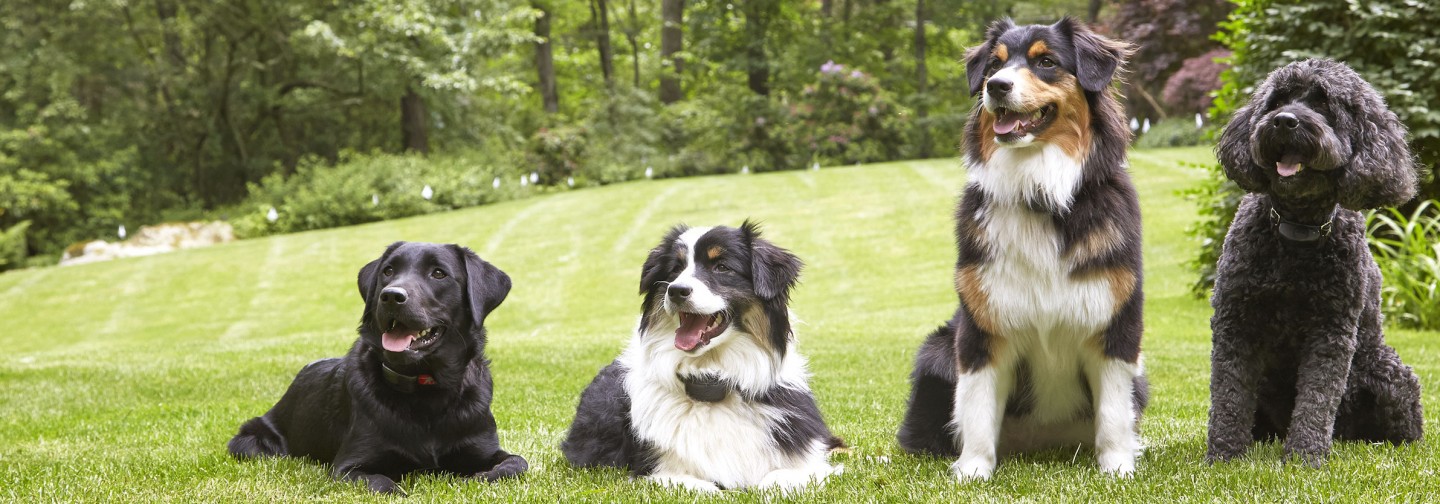
" Our Golden Retriever, Sam was always running throughout our neighborhood & would eventually end up in the pond down the road from our house. We could never keep Sam home until Tony Young told us about DogWatch. The difference has been amazing! Sam stays within our acreage & no more baths every night." "I would highly recommend, to any pet owners who are having issues with containing your dog, Call the staff at DogWatch of Central Oklahoma."

Michelle & Jeff Shepardson

Tuttle, OK.

Starflower


Need Help With Your DogWatch System?

Our Customer Service staff is available to assist you by phone from 8:00am to 5:00pm, Monday through Saturday.  We will be happy to answer your pet training, containment or product questions.
 
Customer Service: (405) 417-0400 / (405) 830-0750

Owner's Guides

Your DogWatch Hidden Fence includes an Owner's Guide with useful information about changing your battery, training steps, and programming your receiver. If you've misplaced your Owner's Guide, you can view and print it by clicking on the appropriate link below.
 

Includes DogWatch Hidden Fence System operating instructions, battery information for Performance Series PT4 Transmitter and R7, R8 and R9 Receivers, training steps and warranty information.

 
Our Indoor Systems work with your pet's outdoor collar-receiver. This guide includes product descriptions and instructions for this product category.  Ask your DogWatch dealer for further details.  (20.3MB)
 
This two-page data sheet includes a photo and the features of the NEW DogWatch PT4 Transmitter.  (340KB)
 
This booklet includes operating instructions for the (older) PT3 Transmitter (NO Loop Monitor Display), and R7 and R8 Receivers.  (925KB)
 
This booklet is the original PT3 Transmitter Manual that also includes instructions for the R7 and R8 collar-receiver.  (759KB)
 
Includes a description of the BigLeash features, instructions for use and general training information.  Also includes instructions for adding a second collar to the system.  (4.3MB)

DogWatch® Pet Training Tips

Here is a list of a few training tips to help you make the most of your DogWatch purchase. If you don't find the answers you need here, review your Owner's Guide or contact your local Dealer.
 
Reinforcing The Training
Your Dogwatch dealer will introduce you to your dog training system and provide the initial training.  Following this initial training by your Dogwatch dealer, you will need to reinforce what your dog already knows and here’s how. To keep your dog out of other’s yards or away from your swimming pool  or patio, follow the steps outlined here.  In order for your dog training system to be most effective, first place the DogWatch collar on your Dog and walk the dog to all areas of your yard, near the boundary flags, several times a day for at least four to five days.
The leash is very important, because you must be able to pull the dog back to safety and praise the dog for returning to reinforce the training. For your pet training system to be successful, the keys are consistency and repetition. Praise the dog immediately upon re-entering the safe zone.
 
Do not allow your pet to run freely in the yard during the training period, and avoid leaving the property for walks unless you leave by car and carry the dog. This is to prevent confusing the dog about leaving the yard. After the dog has a good understanding of the audible warning, release the animal for short periods of time unattended. Observe your dog for these free times, and be prepared to reinforce the verbal "Watch Out" should the dog venture too near the boundary. Gradually increase the time your pet is allowed outdoors unattended for the first few weeks.
 
Collar Fit Is Critical!
Make sure the collar of your pet training system is snug enough to keep the posts in good contact with the dog's skin. If your dog has a heavy coat, trim the fur under the receiver. Longer contact posts are available for very heavy-coated dogs.
 
Remove the DogWatch collar after each training session. After the training period, the dog may wear the receiver collar during the day, but you should remove it at night and check the neck area under the collar for signs of irritation. Should the neck develop a sore (a rare occurrence), the collar is too tight. Loosen the collar a little bit to allow the area to recover and, if necessary, apply an antibiotic salve.
 
Taking Your Dog For A Walk
When you take the dog off your property, remove the collar and attach the leash.  Always leave the property from the same spot in the yard, such as the driveway or sidewalk.  We suggest that you beckon your pet with the words; "go for a walk" to encourage him to follow you.
 
The dog may hesitate the first few times you leave the yard. Another option is to set a towel or cloth down between the pet containment flags. Ask your dog to sit. Place the towel on the ground then cross through the flags with the dog on the leash.  Give him a command to cross such as "good cross".  Go for a walk. When you return, repeat the process and when you get to the other side of the flags, ask your dog to sit and pick up the towel.  When you bring him in the house, snap the DogWatch receiver collar on your dog and bring him out to the pet containment flags to remind him of the boundary.
 
In addition to your local dealer, DogWatch Customer Service is always available to help you and your dog make the most of your DogWatch pet training system.

Training Your Dog With a Hidden Fence

Boundary Training:  It is necessary to teach your dog to remain within the designated boundary of your property by following a few simple guidelines and training tips. Consistency and patience is important! In about a week, your dog will know his boundaries and will be a safe and happy dog in your yard!
 
Your Dog’s Response To Stimulation:  Stimulation has been a safe and effective part of dog training systems for over twenty years. All dogs respond differently when they feel a mild stimulation. Some dogs may demonstrate little, if any, reaction, while others may yelp or jump back. Some dogs “freeze”. Do not try to comfort the dog if he receives correction from the dog training system or it will reinforce his anxiety.
 
Dog Personalities and Traits:  Keep in mind that a dog’s personality and traits differ among breeds. Dogs may not exhibit the same personalities and traits within the same breed.
 
Professional Boundary Training:  Your DogWatch dealer will ask you questions about your dog before training begins. A shy or senior dog may require longer Phase 1 sessions, while a gregarious or easy to distract dog may require a short Phase 1, but longer Phase 2 or 3 sessions.
 
The better you know your dog, the easier the pet training system will be for both of you!
 
Creating The Right Environment:  
  • Attitude and Consistency is Important!
  • Keep the training “light”. Use lots of praise. Keep the dog’s spirits high.
  • Use high happy tones for praise. Use low tones for negative commands.
  • Move around the boundary in the same direction.
  • Reinforce the boundary with commands.  Use the commands "Watch Out!" or "Careful" as you slap or shake the flags.
  • Limit each training session to no more than 20 minutes. Keep training consistent.
  • Keep your dog on the lead in the yard for five days.
  • If you are training more than one dog, train each dog separately.
  • Use naturally occurring distractions such as a neighbor or children.
  • Contact your DogWatch Dealer if you have any questions about our pet training systems.
  • Remember!   Proper training is essential for successful containment. If you have any questions about the dog training system phases, especially during the first few weeks, or if you have questions about your dog’s behavior during his training sessions, please contact your DogWatch dealer.

Two Zones for Training

Think of your property as having two distinct zones:
 
1.  SAFETY ZONE:  This is the area where the dog is free to play.
 
2.  AVOIDANCE ZONE:  This is the signal field created by the boundary wire.
     When your dog crosses the signal field, the receiver collar emits an audible
     warning followed by a correction. When containment training is complete, your
     dog will remain in the Safety Zone.
Taking Your Dog Outside the Boundary
Your dealer will recommend when it is time to take your dog across the boundary for a walk. It is important to be consistent when taking your dog for a walk. Be sure to use your dog’s regular collar and leash and go to and from your walk using the same “exit” area. You can also pick up a small dog and carry him over the flagged boundary during the first weeks of implementing your dog training system.
 
Boundary Training Tips
Never call your dog to "come" or give a recall command when you are outside the flag line.
Never walk your dog all the way through the zone during a training session.
It is helpful to reinforce the retreat concept by shaking the flags while saying "Watch out!" when your dog receives an audible warning or senses a correction during a training session.
Regularly adjust the receiver collar, test the battery, and keep the contact posts clean.
After the training period, your dog may wear the receiver collar during the day, but remove it at night.  Regularly check your dog's neck area and make sure there is no irritation on the skin.
Keep each training consistent: 10 to 15 minutes, two to three times each day.
ALWAYS maintain a positive attitude when training your dog.
Remember to praise and play in the safe zone at the beginning of each training session. 
 
The Seven Rules
Internationally known Animal Behavior Therapist and Trainer, Raymond J. McSoley, helped DogWatch Inc. develop our dog training system and continues to be a strong DogWatch supporter. Read his testimonial on DogWatch products. In his book titled "Dog Tales", Ray outlines seven rules for dog ownership which he conveys to every client before working with them. These rules also form the foundation for our dog training system philosophy.
  • Rule 1: You must be responsible for learning to communicate with your dog.
  • Rule 2: You must be the leader and the dog the follower - there's no room for equality in the dog's mind.
  • Rule 3: If you're not teaching the correct behavior, then you're teaching the wrong behavior, because you're always teaching the dog something.
  • Rule 4: You must be consistent in dealing with your dog.
  • Rule 5: Don't expect your dog to know the difference between right and wrong. He is not a little person in a fur coat.
  • Rule 6: You must be certain your dog understands why he is being corrected.
  • Rule 7: Reward your dog for the proper behavior.
©Raymond J. McSoley. All rights reserved. Published by Warner Books Inc. 

Troubleshooting your DogWatch® Hidden Fence

The following are troubleshooting tips that should help you find answers to the most commonly asked questions regarding DogWatch products. If you don't find the information you need here, we can help! Contact your local dealer.
 
R7 and R9 Receiver Features
 
Adjustable Collar:  Both the R7 and R9 receivers come fitted to an adjustable nylon collar.  The collar should be positioned above the dog’s regular collar.  The collar should be adjusted to insure that the contact posts touch the skin on the dog’s neck.  Check the fit for the first few days of wear to insure that the collar is not too tight or causing irritation to your pet’s neck.
 
Safelink® FM Radio Signal:  Our patented FM design allows the DogWatch receiver to recognize and activate only to our unique radio signal. This protects your pet from unintentional correction caused by stray radio signals that may be emitted by other electronic devices.
 
Automatic Shutdown:  The dog containment system is designed to protect your dog from an over-correction in the unlikely event that your dog gets caught in the signal field. If your dog does not exit the signal field, the receiver will automatically stop correcting after 15 seconds – protecting your dog from over-correction.  The receiver will automatically reset once the dog leaves the signal field.
 
CollarBone™:  The DogWatch® CollarBone, metal lock washers and contact posts fasten the receiver to the nylon collar. The plastic “collar bone” is designed to fit two collar thicknesses. For single-ply collars, mount the recessed holes of the CollarBone against the collar strap and for double-ply collars, place the flat side of the CollarBone against the collar strap. See above illustration.
 
Contact Posts:  The receiver comes with a set of contact posts. Your DogWatch Dealer will determine the correct set based on your dog’s neck shape, coat, and skin sensitivity. The posts must make contact with the skin in order for the dog to feel the correction. In certain cases, your dealer may recommend clipping some of the hair around the contact posts so that they can touch the skin more easily. Use care if you find it necessary to tighten the contact posts with the collar wrench, as over-tightening could cause damage to the receiver.
 
Antenna:  The receiver’s omni-directional antenna design assures optimal reception from the signal field.
 
Status Light:  The status light continuously monitors your receiver and provides the following features:
Start-Up - When you first insert the battery into your receiver, the status light will flash red and green. This indicates that the receiver has started properly. Once started, the status light will continue to flash green once every 30 seconds indicating normal operation. In the event that the light does not flash, check the battery to be sure that it has been inserted properly.
Training Level Indicator - When programming the training level of your receiver, the status light will flash green in conjunction with audible beeps. The number of flashes will equal the training level you have chosen.
Signal Field Indicator - When testing the receiver in the signal field the status light will flash green when the receiver is in the audible zone and will flash green and red when the receiver is in the correction zone.
Correction Alert - You will be able to tell if your pet has tested the boundary by looking at the status light. The status light will double flash green every 30 seconds during the 24-hour period after the dog has entered the boundary area.
Battery Indicator - This feature monitors the voltage level of the battery. Once the receiver detects that the battery has reached a low voltage level, the status light will change from the normal blinking “green” every 30 seconds to blinking “red” every 10 seconds. This indicates that your battery is close to the end of its useful life and you should change the battery within the next 3-4 days. If your light flashes double red, this indicates that your battery is low and your pet as challenged the dog containment system.
FastReact™:  The DogWatch R7 and R9 receivers offer the fastest reaction time available in a pet containment fence receiver. Whether your dog, strolls, runs or sprints into the Avoidance Zone, the DogWatch receiver will react - and correct - within .125 (1/8) seconds.
 
User Programmable Feature:  When you combine the transmitter “Rate” and the receiver training levels, you can customize the receiver to one of 20 training settings. For example: If the receiver is on Level 1 and the Transmitter Rate is on Level 1, your dog is experiencing the lowest level of correction and the least number of pulses per second.
 
Status Light Indicators
The status light in the R7 and R9 receivers provides the following features:
Start-Up - When you first insert the battery into your receiver the status light will flash green. This indicates that the receiver has started properly. In the event that the lights do not flash, check the battery to be sure that it has been inserted properly.
Correction Level Indicator - When programming the correction level of your receiver, the status light will flash green (in conjunction with the audible beeps). The number of flashes will equal the correction level you have chosen.
Signal Field Indicator - When testing the receiver in the signal field the status light will flash green when the receiver is in the audible zone and will flash green and red when the receiver is in the correction zone.
Battery Replacement Reminder - The status light will flash red approximately every 10 seconds prior to the end of the battery life to remind you to change the battery. Be sure to change your battery every 6 months (R7), or two years (R9). Each time you change your battery it is important to reset the “Battery Reminder” feature.
 
Using the Test Light
The test light allows you to test the receiver. Hold the test light in place over the contact posts and carry the receiver into the signal field a few feet from the ground. When the receiver picks up the signal from the boundary wire of the pet containment fence, the audible warning will sound and the test light will come on when you enter the correction zone.

R7 and R9 Receiver Battery Instructions

The lightweight radio receiver worn by the dog identifies the coded FM radio signal from the boundary wire. It creates an audible warning followed by stimulation if he comes too close to the pet containment fence boundary wire. It operates on a replaceable battery and is waterproof when the battery cap is securely fastened.
 
Important: You must reset the Battery Indicator Feature when you change the battery.
 
Resetting The Battery Indicator Light
 
  • 1.  Remove the old battery.
  • 2.  Using your test light, hold the magnet in the programming position (without a
  •      battery in the receiver) for 15 seconds to fully discharge the unit.  If you have
  •      misplaced the test light, let the receiver sit for 5 minutes without a battery.
  • 3.  Insert a new battery.*  The Battery Indicator feature is now automatically reset
  •      for 6 months for the R7 or 24 months for the R9 receiver.
  • * R7 batteries: the positive (+) end of the battery must be inserted up.
  • * R9 batteries: the positive (+) end of the battery must be inserted down.
  • R7 Battery:  The Performance Series receiver is powered by a 3 volt 1/3 N lithium battery. The receiver is designed for a 6 month battery life. The positive (+) end of the battery must be inserted up.
  • R9 Battery:  The R9 battery is powered by a 3.6 volt lithium battery. The receiver is designed for long battery life of up to two years. The positive (+) end of the battery must be inserted down.
Battery Plans:  Contact your DogWatch Dealer about a battery plan. Enjoy the convenience of having your battery(s) automatically mailed to you precisely at time you need to change them.
 
Important:  When you remove the receiver collar from your dog at night, do not store it near or on a television. Please note battery handling instructions marked on the battery.
 
Testing the Receiver Battery
A battery test magnet is included with your dog containment system.  Place the tester on the contact posts of your receiver and hold it up to the transmitter or walk out to your driveway where you can see the driveway cut where the wire for your underground dog fencing is buried.  A light on the battery tester and audible tone on the receiver confirms that the collar is operating properly.  If you get the audible warning but not a light, replace the battery.
 
Contact your DogWatch Dealer about a battery plan.  Enjoy the convenience of having your battery(s) automatically mailed to you precisely at time you need to change them.
 
Use the Proper Battery for your Receiver
Please consult the Owner's Guide for your particular pet containment fence to ensure you are using the proper battery for your receiver. You can find pdf files for the latest Owner's Guides at the top of this page.
 
R7 Battery:  The Performance Series receiver is powered by a 3 volt 1/3 N lithium battery. The receiver is designed for a 6 month battery life. The positive (+) end of the battery must be inserted up.
 
R9 Battery:  The R9 battery is powered by a 3.6 volt lithium battery. The receiver is designed for long battery life of up to two years. The positive (+) end of the battery must be inserted down.
 
Battery Plans:  Contact your DogWatch Dealer about a battery plan. Enjoy the convenience of having your battery(s) automatically mailed to you precisely at time you need to change them.

Setting the R7 or R9 Receiver

Setting The Receiver:  Both R7 and R9 Receivers provide eight training levels that allow you to customize the training setting to your dog’s individual needs: Audible Only, Level 1 (X-Low), Level 2 (Low), Level 3 (Medium-Low), Level 4 (Medium), and Level 5 (Medium-High), Level 6 (High), Level 7 (X-High). When the receiver is first turned on (from the manufacturer), it will automatically be set to Training Level 2 (Low).
 
Your Dogwatch Dealer will start the training on the appropriate level according to your dog’s personality and traits. If you need to change the training level on the receiver, hold your test light magnet to the two raised lines on the side of the receiver. Hold the magnet steady and you will hear a series of beeps that indicate the current (set) training level. The Training Level will continue to advance as long as the magnet is held in position. For example, Level 1 is one beep, Level 2 is two beeps, etc. The beeps (or Receiver Tones) represent the Training Level the receiver is set at.
 
When you reach the desired training level setting, pull the magnet away from the receiver. The receiver is now set.
 
Any time the magnet activates the receiver, it will first tell you what level the receiver is set to. As long as the magnet is held in place, it will advance the receiver to the next training level and continue to cycle through the settings.
 
Please consult your Owner's Guide. If you have misplaced your guide, a pdf can be found at the top of this page.
 
AutoMemory™ Correction:  Levels 4, 5 and 6 contain the AutoMemory™ feature. When the receiver is set to one of the AutoMemory levels, and the dog enters the signal field, the dog will receive the correction of the initial setting. When the dog then leaves the signal field the receiver will automatically advance the correction level setting by one, and only one level. If the dog does not re-enter the signal field within the next 24 hour period, the receiver defaults to the original setting.

Adjusting the Receiver Collar

Your DogWatch Dealer has installed your dog containment system, set the transmitter and receiver to the training levels appropriate for your dog’s personality and traits, and has placed boundary flags around the perimeter of your yard. Your Dealer has already begun your dog’s first day of containment training. Now it is your turn to continue the training.
 
  1. Before you begin training your dog with the dog containment system, be sure to place the DogWatch receiver collar on your dog’s neck before you go outside.
  2. The collar should be worn snugly on the dog’s neck. This is extremely important!
  3. Place no more than one thumb width between the contact post and dog’s neck.
  4. When checking snugness of collar, the dog’s neck should be facing down (sniffing position) as this is where the dog’s neck is the smallest.
  5. If the collar is too tight, the receiver unit will stick out to the side when the dog shakes his head.
  6. If the collar is too loose, the dog will not receive the intended correction when he or she wanders into the Avoidance Zone.
  7. Remember to periodically check for irritation around the dog’s neck.
  8. DogWatch strongly recommends that the collar be removed daily when the dog is inside the house.
  9. Adjust the collar as needed. Remember — collar fit is critical! Make sure the collar is on tightly enough to keep the posts in good contact with the dog's skin. When checking collar snugness, place no more than one finger width between contact posts and the dog's neck. Be sure the dog's neck is down, in the sniffing position, as this is when the dog's neck is the smallest.
 
During colder months, you dog's fur may be thicker and you may need to trim the fur under the collar to be sure the dog receives the correction. If your dog has a naturally thick coat, you may need to trim the fur year-round. Longer contact posts are available for especially heavy-coated dogs.
 
If your dog was trained with the DogWatch pet containment fence as a puppy, chances are he or she has grown and may need a larger collar.
 

Performance Series  PT4 Transmitter Features

The transmitter sends a coded digital FM radio signal through the boundary wire. This signal can be adjusted, allowing you to control the underground dog fencing around your property. It operates on a standard 110 volt outlet.
 
PT4 Transmitter Features:  Never adjust the transmitter while your dog is wearing the receiver collar.
Power On/Off - This switch gives you easy access to turn the transmitter on or off.  The red Power light on the front panel lets you know that it is operating.
Power Supply - The transmitter is powered through a power supply that is plugged into a properly grounded 110 volt outlet. The adapter is plugged into the transmitter jack labeled "PWR."
PowerPak™ - Optional battery back-up system keeps the transmitter operating in the event of a power failure. When transmitter is being powered by battery back-up, the red power light will remain off. The PowerPak plugs into the transmitter at "P-PAK".
Ground Wire - The green ground wire is plugged into the transmitter at the location labeled “GND.” The round connector on the green ground wire is attached under the screw on the outlet faceplate. It will, however, only be effective if your outlet is properly grounded. If you have any questions about having a properly grounded outlet, consult your local electrician.
Loop Plug - Your system comes with zip cord with a plug on one end. This plug fits into the hole marked “Loop” on the bottom of the transmitter. This is the beginning of the boundary wire. Once your boundary wire has been properly installed and plugged into the transmitter, the Loop Monitor Display (LMD) light will turn on. If the underground dog fencing boundary wire is broken or the signal is interrupted, the LMD light will go out and an audible warning will sound. If the LMD light is out, consult your Dealer. You should also check around your property for a visible broken wire.
Loop Monitor Display (LMD) - The Loop Monitor Display provides a visual indication of the status of your boundary signal. On traditional boundary wire configurations each number on the scale represents the boundary signal distance in feet, that is being broadcast from each side of the wire, (Minimum setting is one [1] foot). A significant change (drop) in signal range could indicate a partial wire break or other boundary wire problem. If you have a wire break in your underground dog fencing, the blinking green light (or steady green light) will go out and an audible warning will sound. Contact your dealer for troubleshooting tips for any of the DogWatch underground and wireless fences offered or to schedule an appointment.
Note: For non-traditional wire configuratons where the boundary wires may be close to one another, the LMD may not measure the boundary signal accurately in feet, but is a visual setting reference point. Your DogWatch dealer will explain the LMD setting and your actual signal range.
Range - The radio signal is transmitted from the boundary wire in all directions. The signal is adjusted by the digital range control on the transmitter to create a signal field on each side of the wire. The recommended signal field width is 6-10 feet. Your DogWatch Dealer will adjust the radio signal distance according to the personality and traits of your dog. Consult your DogWatch Dealer first before making any adjustments yourself.
Signal Field - The signal field has two distinct areas.  When your dog first enters the signal field, he will receive an audible warning.  If he continues further into the signal field, he will receive a correction.  The audible area is approximately the first 10% of the total signal field.  To prevent your dog from entering the signal field and remaining in the audible area causing depletion of the battery, the receiver will transition from an audible warning to a short warning correction after a period of 15 seconds.  This will activate regardless of the mode switch setting, but will not activate if the receiver is in the “Audible Only” Training Level.
Training Mode - This turns the stimulation on and off. If your dog enters the signal field with the Mode “on,” (Full Function) he will receive an audible warning followed by a correction. When the Mode is “off,” (Audible Only) he receives an audible only warning (see “Signal Field” description above). The Mode should only be turned off if your dog has been thoroughly trained with the Mode “on” and consistently responds to the audible warning alone. We recommend that the Mode be left in the "on" or "Full Function" position.
Rate - This adjusts to three levels (1-slow, 2-medium, 3-fast). When your dog experiences a correction, he receives it in a series of pulses. Increasing the Rate means that he will receive a greater number of pulses per second.
Note:  On the back of each transmitter are four small switches. These switches set your transmitter to the correct broadcast frequency. Your dealer will set these switches for your system. Do NOT change these settings. They are for DEALER USE ONLY.
 
Setting The Transmitter:  The Transmitter Rate switch adjusts to three settings: (1 – slow, 2 – medium, 3 – fast). When your dog gets a correction, he receives it in a series of pulses per second.  Increasing the rate means that he will receive a greater number of pulses per second. Rate 1 is the slowest pulse rate per second; 3 is the fastest.

Outdoor Dog Containment System Signal Range

The dial for adjusting the range is located on the right side of transmitter. Depending on the size of your property and needs of your dog, signal range may vary from the boundary wire. Your dealer has adjusted the range that is most suitable for your dog and yard.
 
Be aware that the signal range on your dog containment system is very sensitive. Changing the signal field can significantly compromise the effectiveness of the boundary loop, so you should not change this setting unless your dealer recommends it.
 
If you increase the signal field, be sure to only turn the dial clockwise in small increments. Remember, increasing the signal range, decreases the underground dog fencing safety zone for the dog.
 
If you decrease the signal range, be sure to turn the dial counterclockwise in small increments.
 
Know where your underground dog fencing wire is buried
Use the training pet containment flags to mark your yard before any landscaping is performed. Additionally, you can locate your underground dog fencing wire with your dog's receiver collar.
 
Hold the receiver at the dog's neck height (at your knees) and hold the receiver with the contact posts up. Walk perpendicular toward the boundary wire. When you first hear the audible tone only, mark the area with pet containment flags. Walk to the opposite side of the boundary and walk back in toward the boundary wire. When you first hear the audible tone, mark the area with a flag. The middle distance between where you placed the pet containment flags should be where the wire for your underground dog fencing is buried, give or take a few inches. If you continue to walk toward the boundary wire, you will hear both the audible tone and correction beeps. Depending how wide the avoidance range is, depends on the distance between the pet containment flags. Be sure your range is set correctly on the transmitter. The range can be set up to 10 feet on either side of the boundary wire. You can also refer to your Instructional DVD or see "Signal Range" below.

Indoor Wireless Pet Fence Signal Range

Use the training pet containment flags to mark your yard before any landscaping is performed. Additionally, you can locate your underground dog fencing wire with your dog's receiver collar.
 
The signal range on the I-50™ and Skedaddle™ indoor wireless fences can be adjusted by turning the dial clockwise to increase the range or counterclockwise to decrease the range. The signal range on the I-50™, when in the wireless fence mode, is from 0 to 8’ in diameter. The signal range on Skedaddle™ wireless fences is from 0 to 10’ in diameter. Remember to turn the dial in small increments and test the range with the receiver. Do not touch the contact points on the receiver.

Pets Need Time Off

Remember to remove the collar at night. If your dog stays outside, periodically remove the collar and check for irritation.
 
In addition to your local dealer, DogWatch Customer Service is always available to help you troubleshoot your underground dog fencing system.

Safety and DogWatch Hidden Fences

Important SafeGuards
Please read all the literature included with your dog containment system before turning the system on or beginning training.
Do not attempt to shortcut the comprehensive training of your dog.
The dog containment system is intended for the purpose of containing domestic dogs.  Use for any other purpose is at system owner’s risk.
In the event your system requires servicing, please contact your local Authorized DogWatch Dealer.  Attempting to service the system yourself may invalidate your warranty.
The dog containment system is recommended for dogs four to six months or older.  Your Dealer will recommend if a puppy under 6 months old is ready.
Keep the collar and the transmitter out of the reach of children.
Never adjust the transmitter or receiver when your dog is wearing the collar.
DogWatch recommends that you unplug your transmitter from the wall outlet and disconnect the loop wire during lightning storms or when it is left unused for extended periods.  This will prevent possible damage from lightning and powerline surges.
This product is only intended for use with trained domestic dogs.  If your dog is aggressive or violent and could cause harm to itself or others outside the fenced premises, you should take other measures to restrain your dog such as traditional fencing.
 
To Troubleshoot an Older AM Transmitter
If your system is not working, check contact posts and the battery cap on the receiver and tighten if needed. Also, check the lights on the transmitter.
 
The red light on the transmitter shows you have AC power to your dog containment system, the green light shows there are no breaks in the wire.
 
The green loop light will blink quickly when the Rate is set on "1". When the Rate is set on "2" the green loop light will blink slowly and when the Rate is on "3" the green loop light will be a steady green light and it will no longer blink.
 
If a wire break occurs, the green light will go out and you will hear an audible chirping sound.
 
If the power light and the loop light  go out on your AM transmitter, you may have experienced a lightning surge.
 
If your transmitter is plugged into a GFI outlet, reset it and your transmitter will operate.
 
If you still experience problems with any of the underground or wireless fences offered by DogWatch, contact your Dealer for assistance.